PROPERTY MANAGEMENT / monday CRM
 monday CRM
See upcoming work.
Know who owns it.
Follow it through.
Livitek built a property operations workspace in monday CRM to make upcoming actions, deadlines and responsibility clear—while keeping Buildium as the system of record.
See the solution ↓THE EXECUTIVE VIEW
The records were there.
The next steps were unclear.
In the team’s existing Buildium setup, property and lease records were available, but upcoming actions were difficult to see clearly: what needed to happen next, when it was due and who was responsible. Renewal follow-ups, inspections, repairs and turnover steps needed a more organized operational view.
The solution: connect property records to upcoming work in monday CRM, organize follow-ups on the Activities board, and provide reusable email templates for reminders, instructions and document links.
The business value: clearer priorities and accountability, with less repetitive preparation of reminders and supporting information. Financial impact and time savings have not been measured.
MANAGEMENT DASHBOARD
Give management
a clear starting point.
Review lease-cycle mix and tenant decisions at a glance. Use connected work queues to see the next action, owner and completion status.
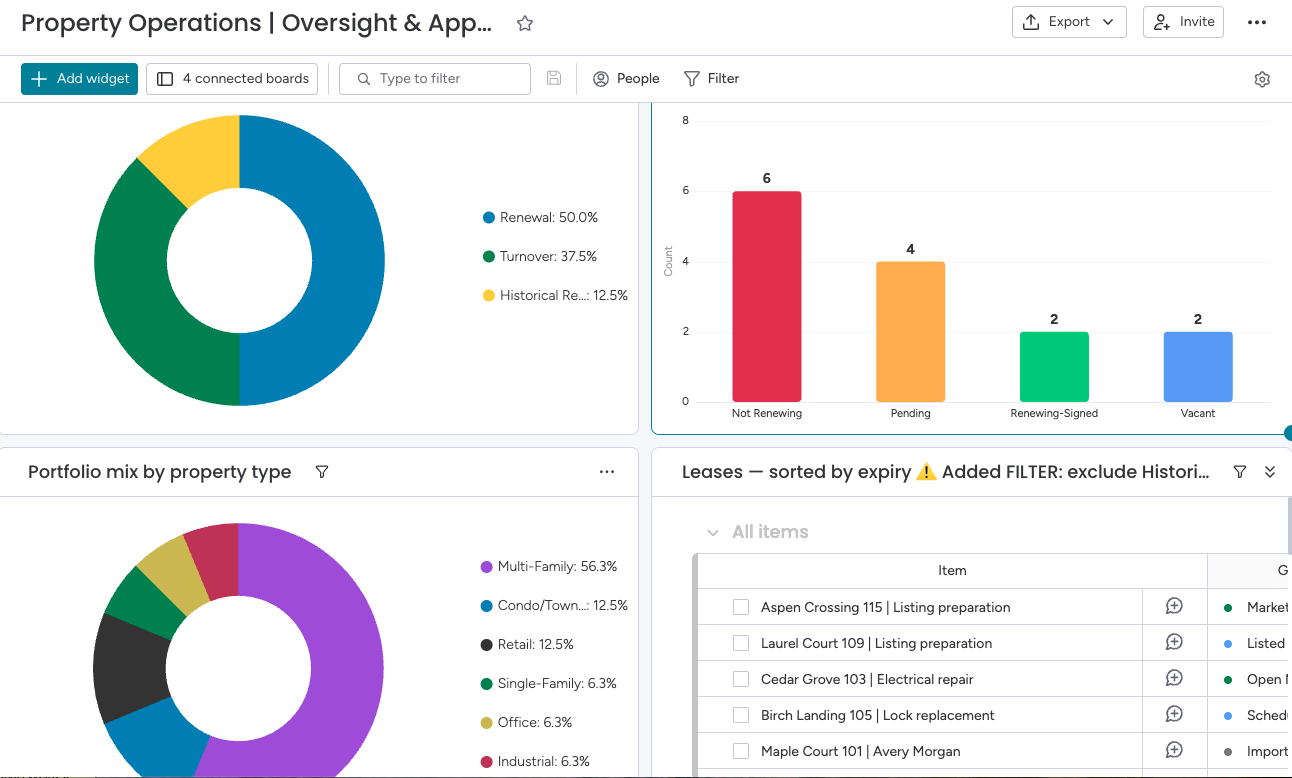
From visibility to action
What is coming due? What is overdue? What needs approval? Who owns the next step?
Charts show portfolio context; work queues track dates, owners and approvals.
COMMUNICATION & FOLLOW-UP
Organize the follow-up.
Make the next step clear.
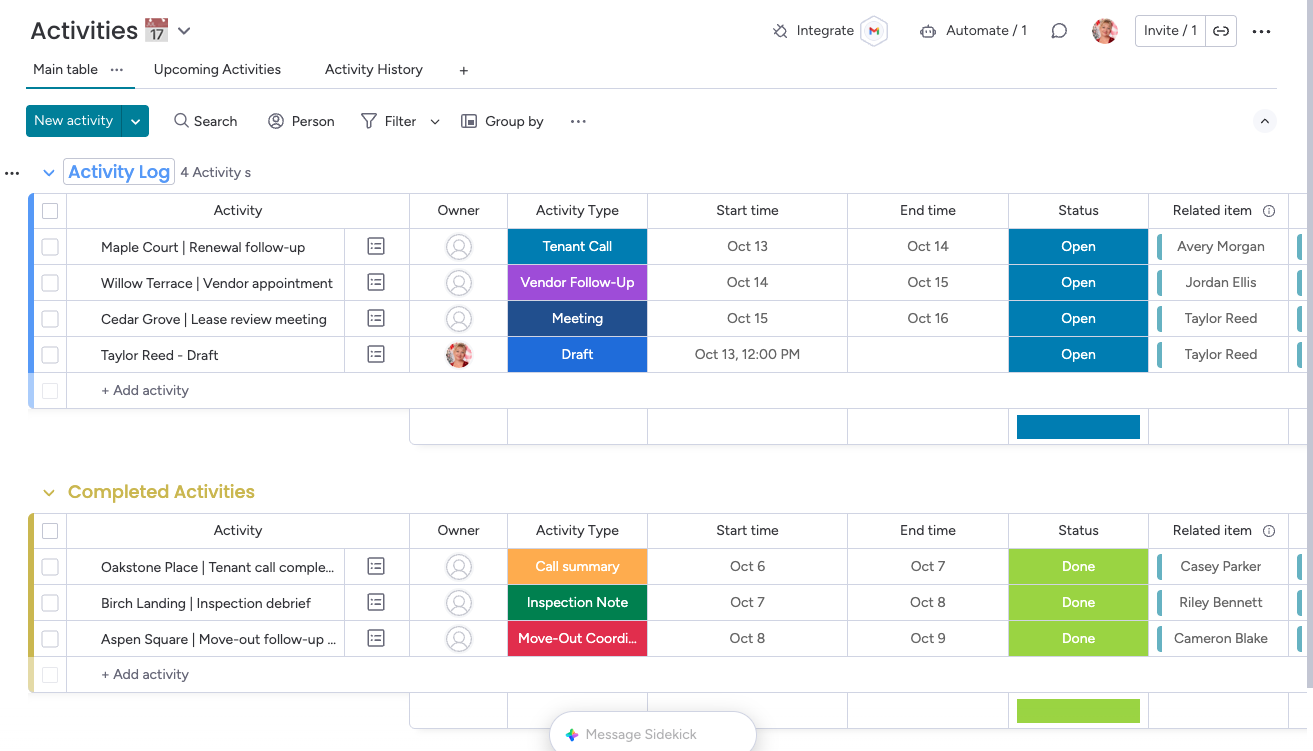
The Activities board organizes calls, meetings, reminders and follow-ups into open work and completed history. Owners and dates make responsibility visible. Email integration through Emails & Activities keeps tenant and vendor correspondence alongside the relevant CRM records, making follow-up easier to manage.
CONSISTENT COMMUNICATION
Prepare it once.
Make follow-up easier.
Reusable email templates reduce rewriting reminders and searching for instructions or document links. Adapt approved wording, confirm the details and keep the conversation with the relevant CRM record.
Subject: Your move-out at {Property / Unit} — next steps
Hi {Tenant First Name},
A quick reminder to complete your move-out details by {Agreed Response Date} so we can coordinate the next steps.
- Complete the move-out form: {Approved Move-Out Form Link}
- Review the preparation checklist: {Approved Move-Out Guide Link}
- Reply with your availability for the inspection.
We will confirm the inspection and key-return arrangements with you.
Thank you,
Property Operations Team
Personalize the property details, response date and links before sending. Reusable templates keep routine communication consistent.
PORTFOLIO CONTEXT
Start with the property.
Connect the work around it.
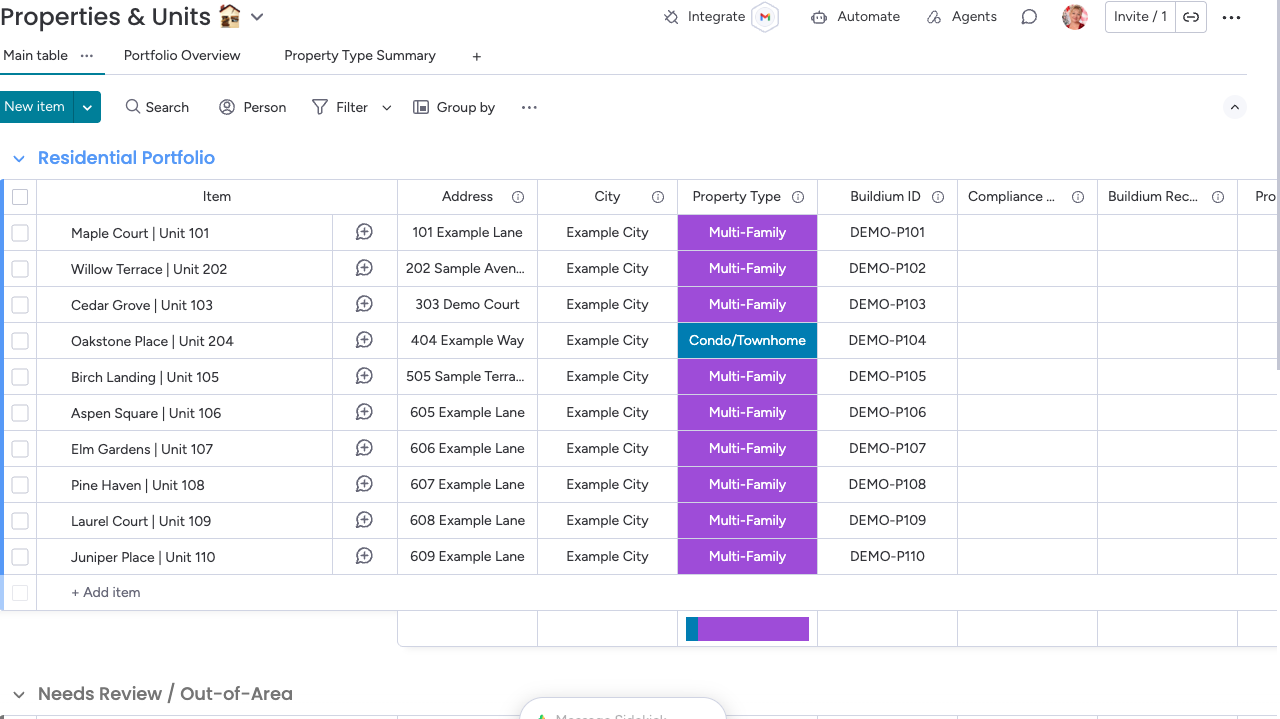
Keep units, tenants and vendors connected to renewal, repair and turnover records. Give the team a consistent place to find the context behind an issue.
OPERATIONAL OVERSIGHT
See what needs attention.
Keep the history.
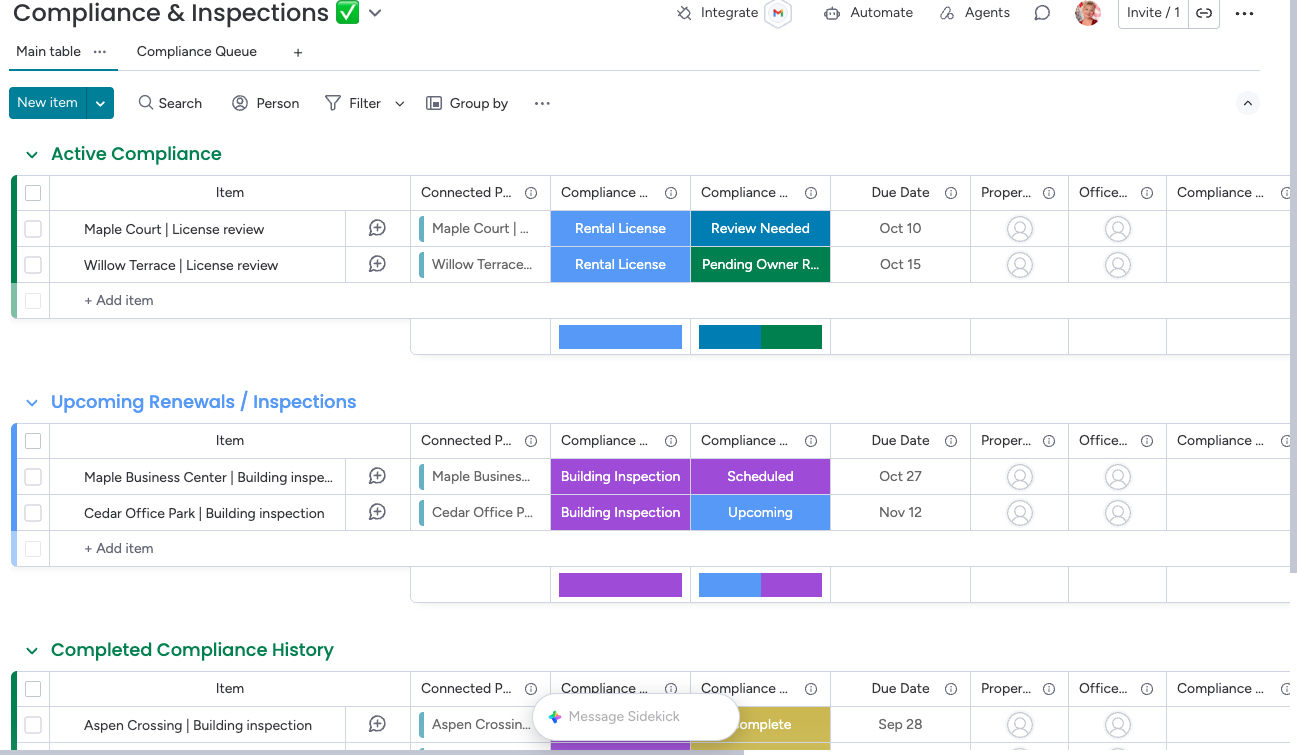
Separate active compliance work, upcoming inspections and completed records. Give managers a practical view of status and deadlines before they ask for an update.
A PRACTICAL SYSTEM BOUNDARY
Keep the core system.
Improve the coordination around it.
Buildium
Accounting, official leases, ledgers and sensitive tenant documents.
monday CRM
Tenant and vendor relationships, communication context, operational follow-up and team visibility.
Handoffs are staff-managed. Automatic Buildium synchronization is a separate integration scope.
BUILT FOR ADOPTION
The workspace is only part of the delivery.
Tenant, property and vendor records were migrated into monday CRM using CSV files. Initial migration gave the team familiar data; ongoing synchronization remains a separate scope.
Daily workflow guides, role-based training and practice scenarios explain how to record decisions, hand over work and close the loop.
Implementation notes
Teams confirm owners and dates to keep personal work queues actionable. Workflow configuration and testing are part of implementation.
Email sending requires each user’s mailbox setup and appropriate sharing permissions. Templates and placeholder links must be reviewed before use.
YOUR NEXT STEP
Where does property work
get stuck in your team?
Start with one workflow—renewals, maintenance or turnover—and define a practical first phase.